

Through our new collaboration, Snowflake and Jedify help customers get more accurate answers to queries, grounded by the organization’s business context that lives in Snowflake and external sources. Jedify continuously pulls and builds business knowledge, from any data source right into governed, domain specific, Semantic Views. That means, Cortex Analyst answers natural-language queries with the full business picture, and is designed to stay accurate, automatically, as that picture changes – all while data stays in Snowflake.
What is a Context Graph, and why do I need one?
Semantic layers are typically built once, capturing a snapshot of the business at that moment. Someone maps the tables, writes the semantic model, ships the model – and the business keeps evolving from there. New products, metrics, definitions, and business rules mean semantic models need to keep evolving too, so agentic AI always has the business context it needs. So, what now?
Enter, Jedify’s Context Graph: A continuously maintained map of an organization’s concepts, metrics, relationships, and business rules, built from how the business actually gets queried, not from a one-time schema dump. The graph autonomously grows and compounds as usage accumulates, new sources connect, and definitions change upstream.
Together with Jedify, Semantic Views becomes a trusted source of truth for business data
Jedify’s Context Graph brings together business context from structured and unstructured sources organizations choose to connect, such as:
- CRM, and sales, and customer success tools
- Billing systems and fiscal calendars
- Customer care and operational tools
- Unique business definitions and rules
- Real natural-language questions with the SQL that correctly answered them
- Organization’s hierarchy and account-level metadata
Cortex Analyst can then act on that context via the rendered Semantic Views, extending the graph’s footprint well beyond the warehouse.
Now, let’s dive into the specifics – how does it work?
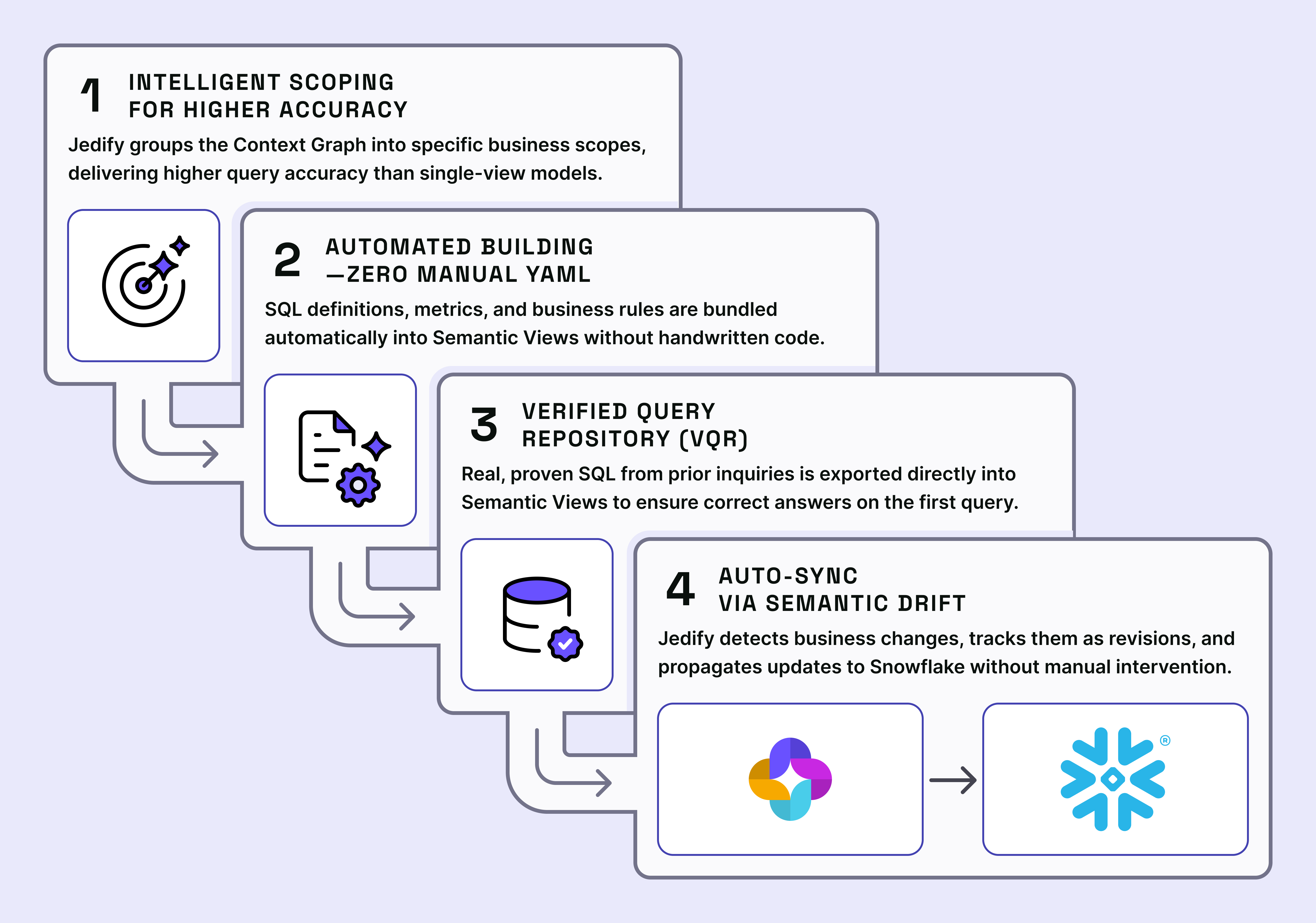
Step 1: Defining the scope
Customer context is one large connected graph, so when a user asks a question, here’s how we ensure the most accurate and comprehensive answer:
- Analyzing the graph: Jedify identifies the central business entity – organization, account, or whatever plays that role for the customer.
- Grouping into coherent scopes: Then, Jedify automatically scopes business meaning into multiple governed, domain-specific Semantic Views, each optimized for a coherent business domain and its related questions.
Defining the scope in this way drives up the quality of the reasoning significantly – each query is evaluated against a relevant, domain-specific View instead of the entire semantic model, reducing competing context and improving query accuracy.
Step 2: Building the Semantic Views, automatically!
Once the scope is defined, Jedify builds the Semantic View(s): Entities with inline SQL definitions, columns split into dimensions, time dimensions & metrics, relationships translated into joined definitions, business rules bundled in as custom instructions.
And the best part: this is all done automatically, no handwritten YAML.
Step 3: Enrich Snowflake’s Verified Query Repository
During this step, Jedify enriches Cortex Analyst with verified queries, which are real questions from end users with regression-tested SQL, that help drive up more accurate query generation than a single unscoped view. The approved verified query repository (VQR) in Jedify is carried forward into Snowflake’s Verified Query Repository, reducing the need to rebuild and revalidate it.
With continued use of Jedify, a backlog of real inquiries will be carried over directly into each view’s VQR, tagged to whichever scope’s node set fully covers them.
Together with Jedify’s Context Graph, Cortex Analyst answers with the full business picture – designed for accuracy and reliability, making your Snowflake environment the control plane for context across the entire business, all readily available within the Snowflake you know and love.
So, for example, when asked, “What is our monthly churn rate?” Cortex Analyst is designed to answer correctly on the first query, because the SQL that answers it was already validated against real usage.
Step 4: Staying in sync as the business changes
Ok, Jedify is deployed in Semantic Views – but now what happens when a business rule changes, a new metric is added, a relationship in the graph shifts?
Jedify detects the change as a “Semantic Drift”, tracks it as a revision, and propagates it into the Snowflake Semantic View without anyone touching YAML. The re-export process re-plans only the affected scopes, compares against the prior scope plan, and replaces what changed while preserving scope names and structure everywhere else. These updates occur automatically, or can be routed for approval.
The Context Graph that’s always on: living, active, learning
Jedify accumulates context from every connected source and every question asked of it. The Semantic View is its current shape in Snowflake and is re-shaped automatically when the business isn’t the same as it was yesterday.
If you’d like to learn more about how the Snowflake + Jedify’s solution can look like in your organization, let’s talk.
Jedify is live today on Snowflake Marketplace, giving enterprise AI the governed business context it needs for grounded, reliable answers from Snowflake and external data.